
CassPort Login
Cass Information Systems
0.1 Overview
Cass Information Systems focusing on delivering solutions for Utility Bill Management, Government Payables and more. When I served as a consultant, the solution area where I focused was in Freight Audit and Payment (we'll refer to it as "Freight" going forward).
I began by conducting an independent evaluation of the company’s digital ecosystem to better understand its design patterns, accessibility standards, and overall user experience. Cass places a strong emphasis on creating inclusive, intuitive interfaces for both employees and clients, aligning closely with my focus on accessible UX design.
Early in the engagement, I identified the sign-in experience as a critical touchpoint within Cass’s application suite. To assess its usability and accessibility, I analyzed the publicly available endpoint, inspecting the DOM and evaluating interaction patterns, form structure, and flow efficiency. This initial research surfaced several opportunities to streamline the sign-in process and enhance overall accessibility for a more cohesive user experience.
The sign in experience is very important- it's the first user touchpoint and sets the tone for the entire product experience.
Process
Code Review, Accessibility Auditing, Ideation, High Fidelity Design, Interaction Design
Tools
Figma, Visual Studio Code
My Role
UX/UI Designer, Front End Developer
Areas of Focus
Accessibility, Semantic HMTL, Visual Design and Layout
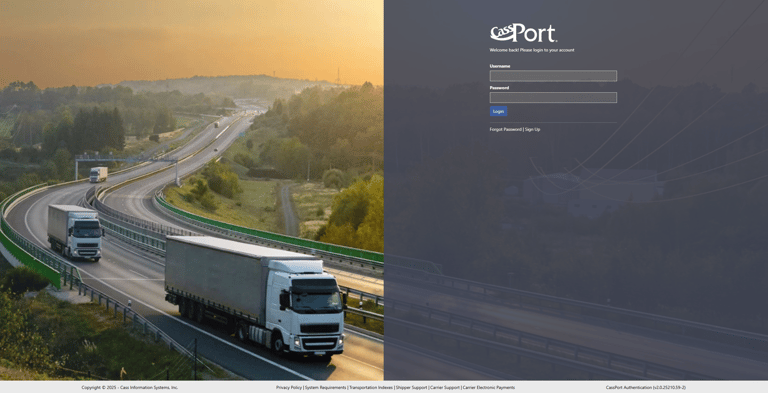
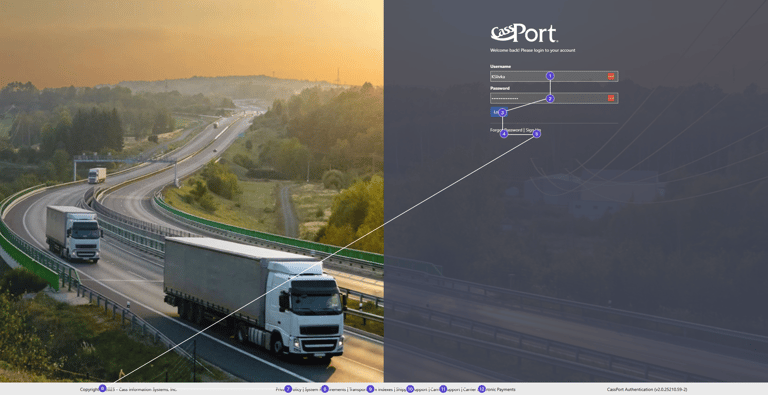
During my analysis, I identified several areas for improvement. The tabbing order did not provide clear landmarks or context, making it difficult for users to understand where they were while navigating. Important options such as “Reset Password” and “Sign Up” were positioned at the end of the tab sequence, which could cause confusion for users relying on assistive technologies. Additionally, the overall styling appeared somewhat outdated, and the code lacked semantic elements and ARIA attributes for links that open on new pages—both of which are important for accessibility and usability.
While the login flow did not present major functional issues, it lacked accessibility support and modern polish. During my own testing using NVDA with screen reading and keyboard navigation, I found that the experience was not intuitive or aligned with accessibility best practices- At no point did the screen reader even tell you that you were on CassPort.
In my interview with the Director of Technology, I also learned that the company aspired toward greater accessibility across products. That insight confirmed that addressing accessibility in the login flow would be both impactful and aligned with company priorities. I also reviewed branding guidelines and competitive patterns. This highlighted that the login screen was visually inconsistent and did not convey the same level of trust and professionalism that the company wanted users to feel at the first touchpoint.
Key Insights
The login flow needed a clear tabbing order and better landmarks for screen reader users.
Sign Up options should be earlier in the sign in order instead of at the end.
A more modern and brand-consistent design would better reflect the company’s values and allow for marketing message placement.
The validation service the login screen was built on is an older one so I needed to be strategic to create the illusion of a modern sign on experience without adding extra steps that the service wouldn't be able to handle.


Mapping and Evaluation
To better understand the existing experience, I created a sitemap of the login flow. This helped me see how the steps were structured and where accessibility barriers, like confusing tabbing order and misplaced actions, were most apparent. As you can see in the diagram, a lot of the links also open in a new tab which is unexpected and not clearly labeled in the UI.
Exploration and Design
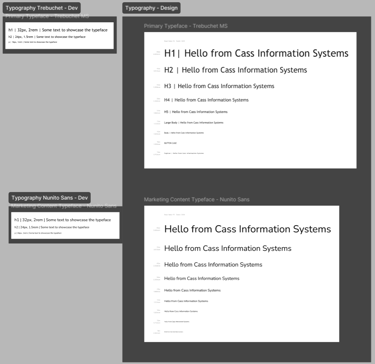
Given the straightforward requirements, I moved directly into high-fidelity mockups rather than spending time on low-fidelity sketches. My priority was tabbing order and accessibility landmarks, so I referenced common login patterns from widely used applications to ensure users would find the flow familiar and intuitive.
Validation and Iteration
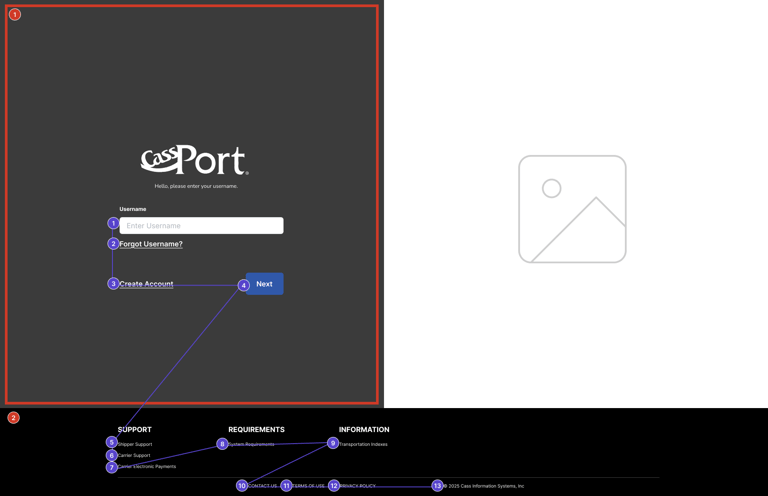
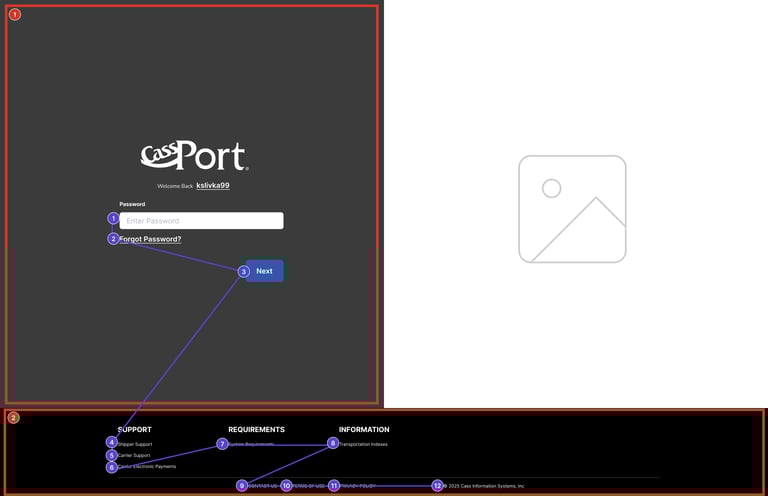
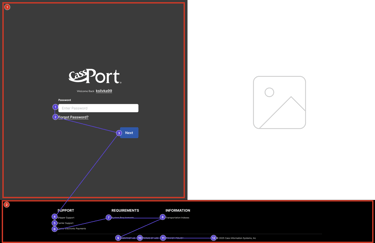
I created separate annotated designs that clearly outlined the expected tab order, making it easy for developers to reference and implement accessibility correctly during the building phase.
Implementation Materials
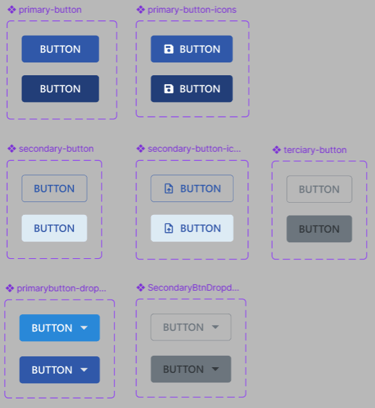
I designed the login flow using the latest assets and components from Angular Material, since the application was built in Angular (v7). This ensured that my designs would be consistent with the framework already in place and straightforward for developers to implement without unnecessary friction.
Marketing Messages
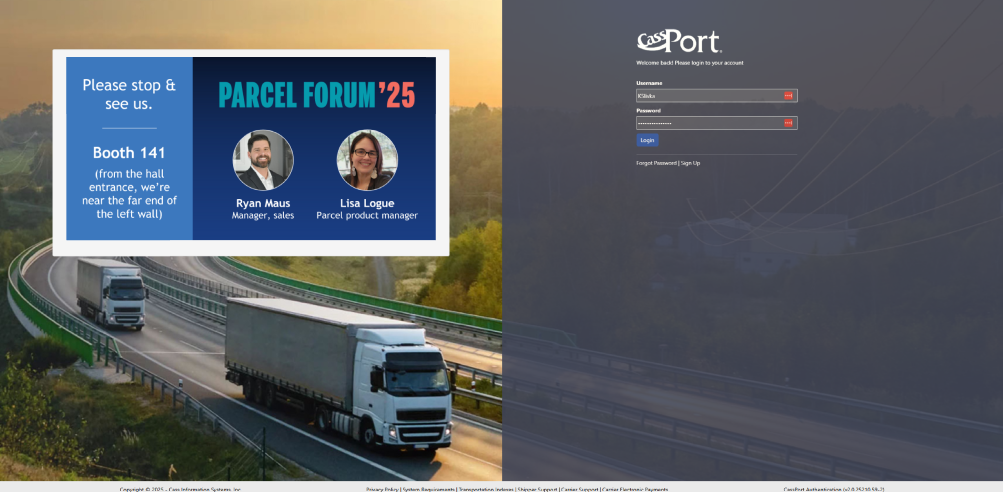
A last minute request was to design a way for marketing messages to be implemented into the design. They don't appear often, but an example of their appearance is below- you can see that there is no designated space or sizing for them, making it hard for the marketing designs to be intentional and seamlessly fit into the overall design.
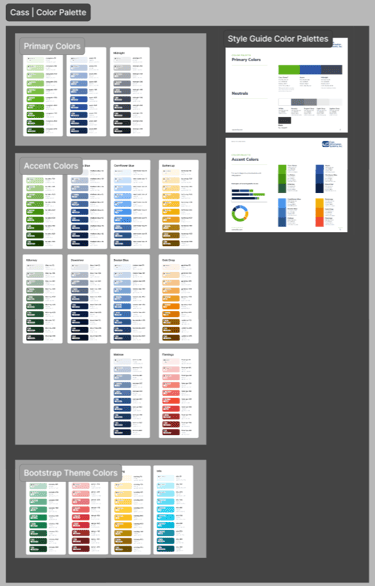
As the design process began, I referenced Cass Information Systems website for inspiration so the new design would be more aligned with what customers already see. I used assets that I created previously in Cass's first design system and referenced branding materials to maintain brand alignment. I also sourced images directly from the company website to add variety to the sign in page and increase the resolution of the images for a crisper UI look and feel.
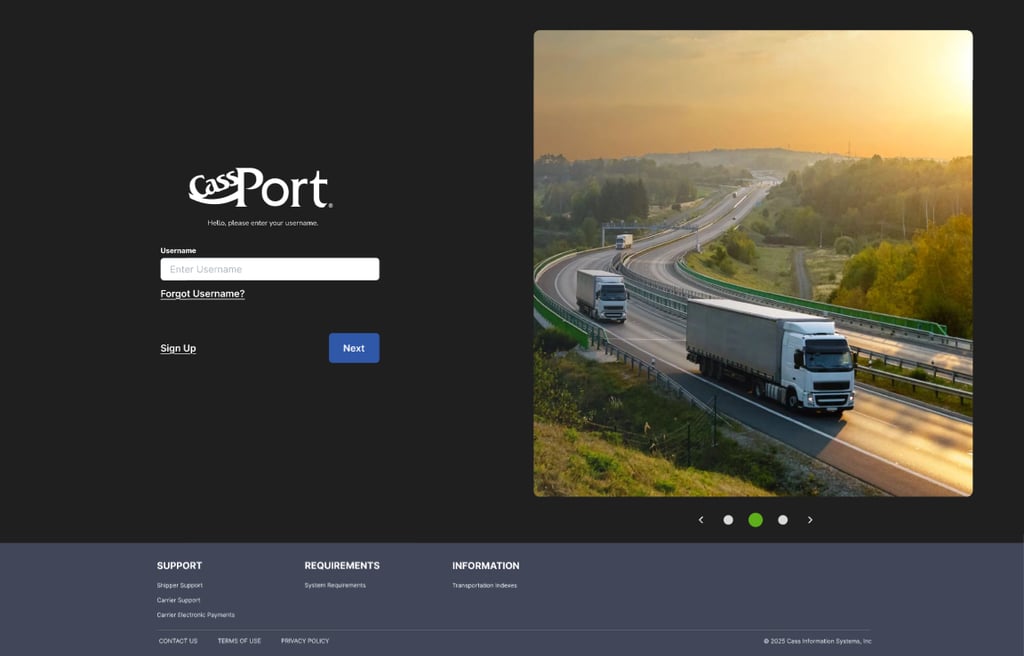
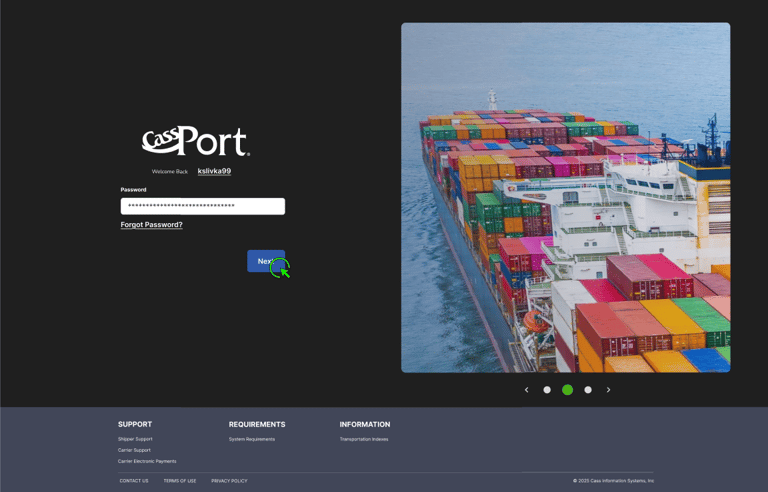
I started by exploring a new layout that places the logo on the left, aligning with how users naturally read from left to right. This makes the placement intuitive and helps users quickly recognize where they are when the page loads. I then refined the sign-in process by separating the username and password steps, allowing users to focus on one action at a time. This approach not only reduces cognitive load but also makes the “Sign Up” option more visible for new users. Even though the underlying entity-identifying engine is rigid, I was able to restructure the flow to follow common design patterns without compromising technical feasibility. Additionally, I linked the “Forgot Username” and “Forgot Password” actions directly to their respective input fields, enabling users to easily recover their credentials when needed. The footer also saw improvements in that the actionable links are placed higher in order and the contact, support and copywrite appear at the end.
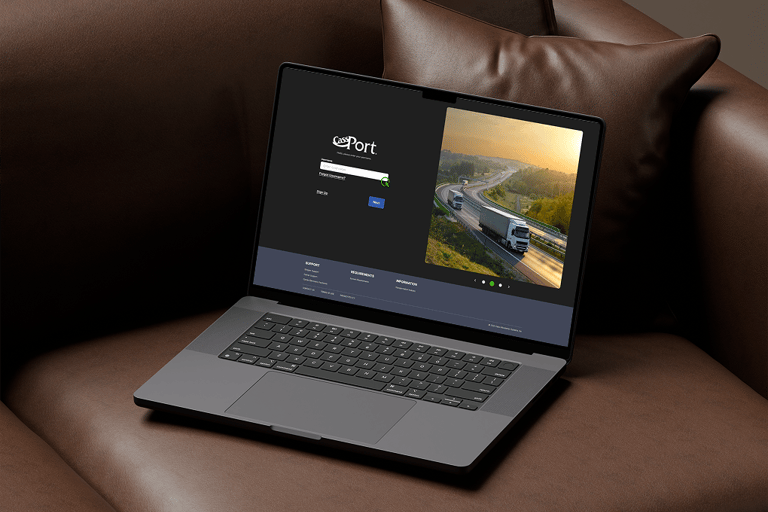
The updated design introduces a true sign-in flow that separates the username and password steps, creating a more focused and intuitive user experience. The static image from the original design was replaced with a carousel pattern, allowing the marketing team to easily promote events or updates within a consistent, polished layout. The higher-quality images not only enhance the visual appeal but also convey a more professional look. Each image in the carousel highlights a different transportation mode within the Freight Division, reinforcing the product’s identity and relevance. Additionally, the footer was redesigned for better readability and organized into clear sections that communicate the company’s value to users more effectively.
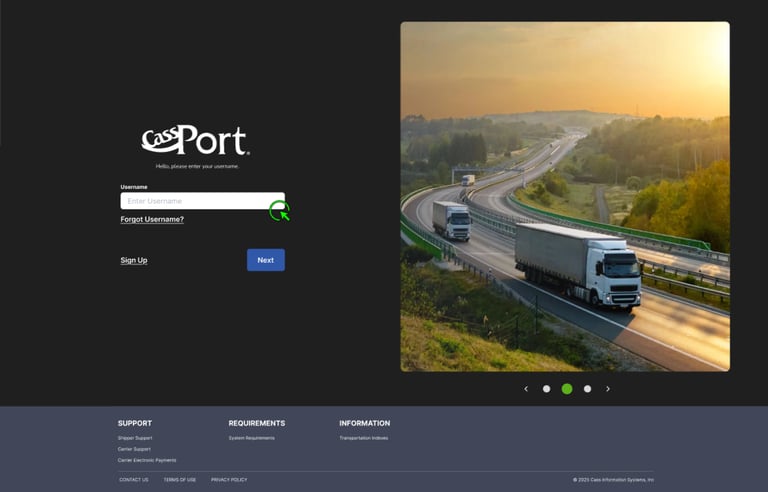
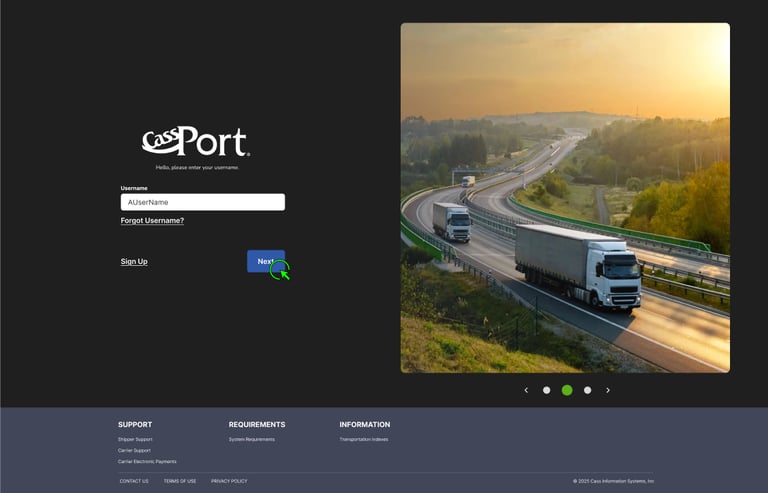
New Sign In Flow with Separate Concerns
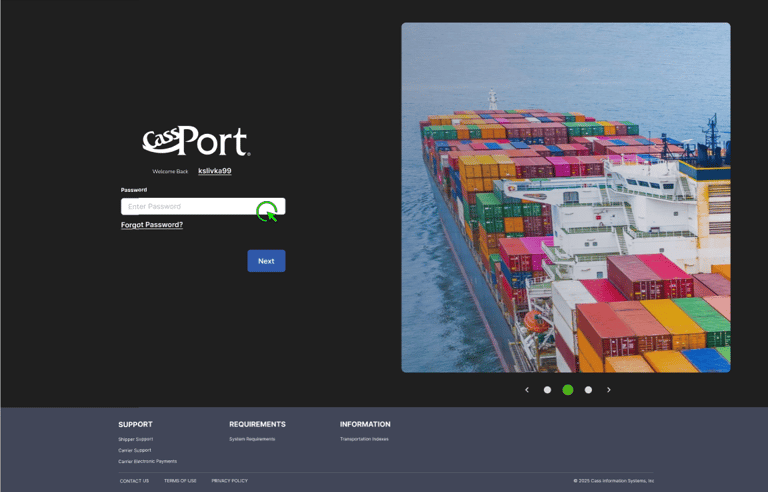
Additional Needs
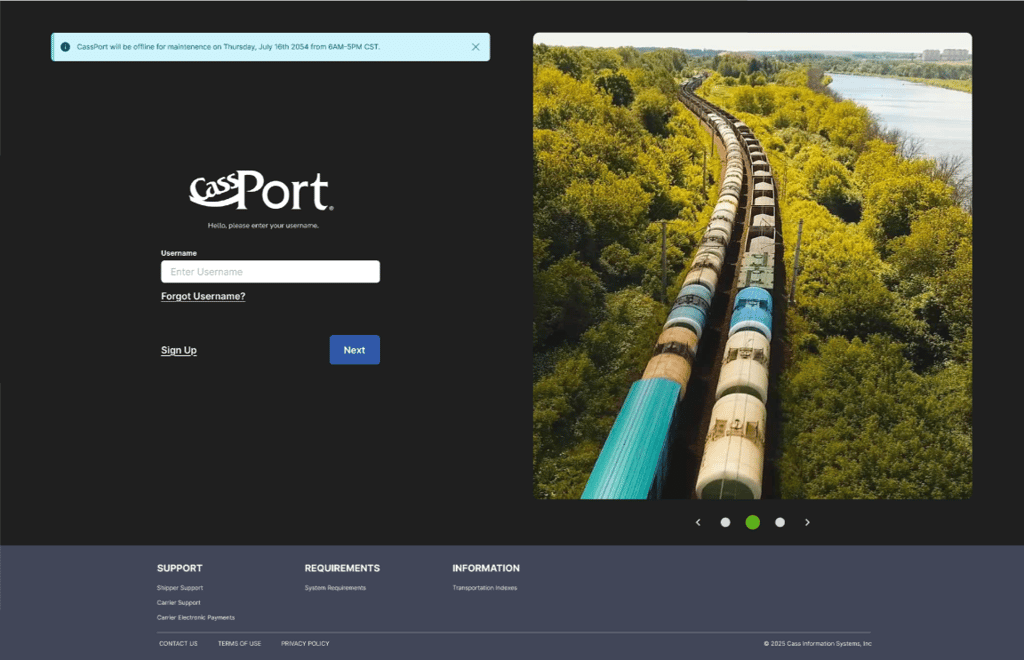
After reviewing the updated designs with the Senior Developer on the project, two additional items needed to be taken into consideration: Site Maintenance Messages and Failure to Sign in. I utilized standard information and error messaging components for those messages with intentional placement so they could both appear without conflicts.
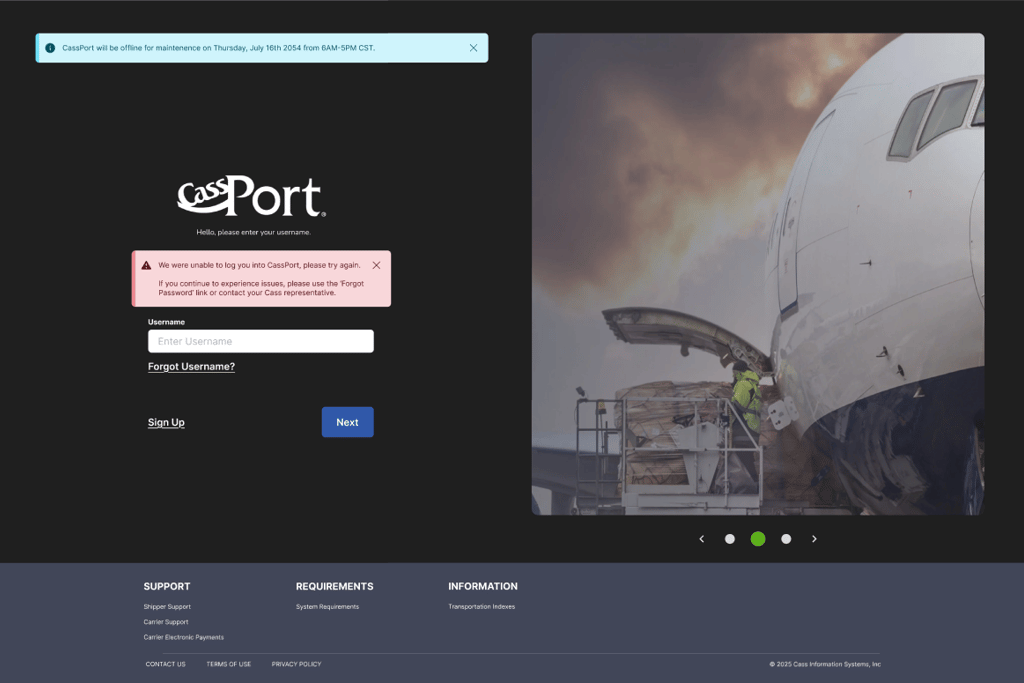
Design reviews were well-received, and stakeholders approved the updated designs to move forward into development. I facilitated the design handoff to the Lead Developer, ensuring documentation, component specs, and accessibility considerations were clearly outlined. Implementation is scheduled to begin before the end of 2025, marking the next step in bringing the improved experience to production.
This project was straightforward yet highly impactful, as it focused on the very first step customers take when accessing the CassPort suite of applications. The redesigned experience not only allows marketing messages to appear more frequently but also better supports first-time users as they engage with the platform. I'm also pleased with the visual design improvements and tabbing order which will help users feel that the portal is more modern and reliable.
Through this work, I gained a deeper understanding of Cass’s validation services and the unique challenge of layering modern design and interaction patterns on top of legacy systems exposed to external users. Looking ahead, the experience could be further enhanced by rendering marketing messages in HTML with active links, enabling users to seamlessly navigate to event or campaign pages.
0.2 Problem
0.3 Design Process
0.4 Solution and Results
0.5 Reflection
Contact
Get in touch for collaboration opportunities.
📩 slivkakathryn@gmail.com
© 2025. All rights reserved.